Why I Built Lcore, My Own Python Web Framework
A single-file, zero-dependency Python framework that began as curiosity and now runs this site in production.
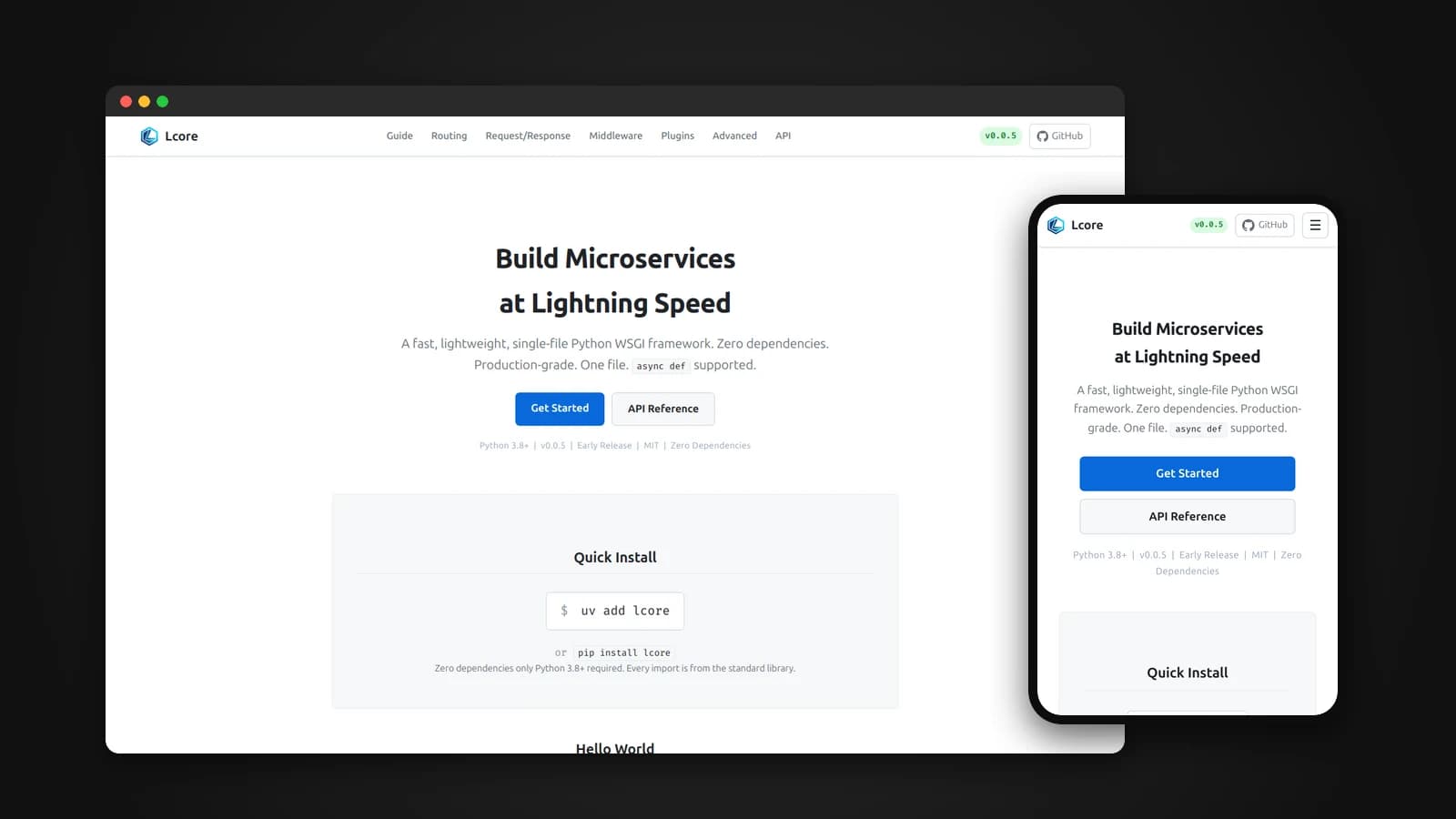
For years I used Python web frameworks without really knowing what happened between a request arriving and my function running. Flask, Django and FastAPI all worked, and I shipped real projects with them, but each one was something someone else had built. At some point I wanted something that was mine: a framework I understood from the first line to the last, built the way I thought it should be built. That is how Lcore started.
Lcore is a fast, lightweight Python web framework that lives in a single file and depends on nothing but the standard library. It began as an exploration, and today it runs in production, including the backend of the site you are reading this on. This article is about why I built it, the decisions behind it, and what building a framework taught me about the ones I had been using all along.
Exploring something of my own
The honest reason is curiosity. Using a framework teaches you its API. Building one teaches you the web itself: how a WSGI server hands a request to Python, how routing turns a URL into a function call, why middleware order matters, how a cookie gets signed, and what "thread-safe" really means when a hundred requests arrive at once.
I also wanted to prove something to myself. Plenty of developers can glue libraries together. I wanted to know whether I could design the whole thing, make sensible trade-offs, document them honestly, and still end up with something fast enough and safe enough to run real sites on.
What Lcore is
The entire framework is one file, lcore.py. There is no package structure, no build step and no required dependency. Every import comes from Python's standard library, so it runs anywhere Python 3.8 or newer runs, including containers, serverless functions and machines with no internet access.
from lcore import Lcore

app = Lcore()

@app.route('/hello/<name>')
def hello(name):
    return {'message': f'Hello, {name}!'}

app.run(port=8080)
Return a dictionary and Lcore sends it as JSON with the correct content type. Install it with uv add lcore or pip install lcore, or simply copy the single file into a project.
The gap I wanted to close
When I looked at the Python microframeworks I knew, they seemed to make one of two trade-offs.
- Bottle is a single file with no dependencies, and it is fast. But it has no middleware stack, no dependency injection, no security primitives and no lifecycle hooks. You build all of that yourself.
- Flask is popular and well documented. But before a Flask API is production-ready, you usually add extensions for CORS, rate limiting, login and more, and each one is another dependency to track.
Lcore sits between them: Bottle's single-file, zero-dependency simplicity, with the production features that Flask leaves to extensions built in from the start.
The principles behind it
- One file only. Drop it into a project and import it. Nothing to install, nothing to build.
- Zero external dependencies. Fewer moving parts and no supply-chain risk. Optional packages such as Gunicorn, gevent or Jinja2 are used when you install them, never required.
- Production features built in, not bolted on. You should not need five extensions to secure an API.
- Honest about limitations. If a feature has a catch, the documentation says so, and in some cases the framework warns you at runtime.
- Standard, readable Python. No metaclass tricks and no hidden import-time behavior. The source is meant to be read, and it doubles as a way to learn how WSGI frameworks work.
It is tested the same way: the suite has 449 tests and uses only unittest from the standard library.
What fits in one file
Keeping everything in a single file forced me to be deliberate about every feature. Here is what made the cut.
Routing
Typed parameters such as <id:int>, wildcard filters, method decorators like @app.post, route groups, and mounting whole sub-applications under a URL prefix. A mounted app keeps its own routes, hooks and middleware, which makes it easy to split a service into modules. You can even mount an existing WSGI app, such as a legacy Flask app, under a prefix while you migrate.
Middleware, in two phases
Lcore ships middleware for CORS, CSRF, security headers, compression, body size limits, request IDs, structured logging, trusted proxies and timeouts. One design detail I am particularly happy with is the pre-routing phase: middleware such as CORS, CSRF and body limits can run before the router and answer early. A CORS preflight request, for example, gets its response without ever touching a route.
Lifecycle hooks
Twelve hook points cover the whole request, from on_request_start through authentication, entering and leaving the handler, building the response and sending it. That makes things like timing every request a few lines of code:
import time
from lcore import ctx, response

@app.hook('on_request_start')
def start_timer():
    ctx.state['start'] = time.time()

@app.hook('on_response_send')
def add_timing():
    elapsed = (time.time() - ctx.state.get('start', 0)) * 1000
    response.set_header('X-Response-Time', f'{elapsed:.1f}ms')
Dependency injection
Register a dependency once and use it from any handler through the request context. Three lifetimes cover the common cases: singleton for things like a cache client, scoped for one instance per request, such as a database session, and transient for a fresh value every time. Scoped dependencies with a close() method are closed automatically at the end of every request, even when the handler fails, so connections do not leak.
app.inject('db', DBSession, lifetime='scoped')
app.inject('cache', CacheClient, lifetime='singleton')

@app.route('/users')
def list_users():
    return {'users': ctx.db.query('SELECT * FROM users')}
Security, built in
This is the part I spent the most time on, because it is where small mistakes cost the most.
- Password hashing with PBKDF2-SHA256 and a random salt per password, plus timing-safe verification.
- Signed cookies using HMAC-SHA256 and JSON, never pickle.
- CSRF protection with signed double-submit cookies, so a sibling subdomain cannot plant a valid token.
- Rate limiting with a token bucket, plus a Redis backend for limits shared across several worker processes.
- Request validation that checks types, strips whitespace, converts values like
"42"into integers, and returns clear per-field errors. - Safer defaults, such as cookies that are
HttpOnlyandSameSite=Laxunless you choose otherwise, header setters that reject line breaks, and a cap on form fields per request.
from lcore import rate_limit, validate_request, request

@app.post('/api/login')
@rate_limit(5, per=300)
@validate_request(body={'email': str, 'password': str})
def login():
    data = request.json
    ...
Tools that make daily work easier
- A built-in test client that calls the app directly, so tests run without starting a server.
- Background tasks on a small thread pool for work like sending emails after a response.
- Automatic API docs at
/docsin debug mode, built from your routes, type hints and docstrings. - Configuration from dictionaries, environment variables,
.env, JSON or INI files, with validation against a dataclass. - Over twenty server adapters, including Gunicorn, Waitress and gevent, with
server='auto'to pick the best one installed.
Being honest about async
Lcore is a WSGI framework, not ASGI, and I decided early that I would never hide what that means.
You can write async def handlers, and Lcore will run them, but the worker thread is blocked for the whole coroutine. There is no concurrency gain, and libraries that need a persistent event loop, such as asyncpg, httpx or aiohttp, will not work properly. Rather than letting people discover this in production, Lcore prints a warning naming the route the first time an async handler runs.
What most people actually want from async is simply that one slow request should not hold up everyone else. Lcore already handles that a different way. Run it under the gevent or eventlet server adapter, and ordinary synchronous handlers get real concurrency with no code changes. I measured it: 200 concurrent requests to a handler that takes 0.2 seconds finished in 2.07 seconds on a 20-thread server, and in 0.58 seconds under gevent, with the same app and the same handler.
For true async, WebSockets and server-sent events, I am working on a companion library, lcore-asgi, that keeps the same routing, middleware and hook model.
How fast is it?
I benchmarked pure framework overhead: 100,000 iterations, three runs per framework, the best run recorded, one process and no I/O.
- Plaintext: Lcore 116,794 req/s, Flask 25,497 req/s, Bottle 187,334 req/s
- JSON: Lcore 91,917 req/s, Flask 22,757 req/s, Bottle 138,299 req/s
- Two middleware layers: Lcore 45,791 req/s, Flask 20,673 req/s, Bottle 114,821 req/s
Across seven scenarios, Lcore handles 2.2 to 4.6 times more requests per second than Flask. Bottle is faster still on raw throughput, and I state that plainly, because it is true: Bottle does far less per request. Lcore carries middleware, dependency injection, a security stack and lifecycle hooks, and still stays several times ahead of Flask. The benchmark scripts are in the repository so anyone can run them.
Running it in production
An exploration only means something if it survives real traffic. Lcore now powers the backend of this portfolio, including its admin panel, wiki and public API, along with several client websites I have built. Every deployment feeds back into the framework: profiling real traffic is what drives each round of optimization, and real needs decide what goes on the roadmap.
Production also taught me lessons I then wrote into the documentation. The best example is request timeouts. Lcore has a TimeoutMiddleware, but Python cannot kill a running thread, so on timeout it can only send the client a 503 while the stuck handler keeps running in the background. It also adds a small cost to every request. So the docs now recommend letting the process manager and the reverse proxy handle timeouts, since Gunicorn can kill and restart a stuck worker and nginx or Caddy can close the connection, and they reserve the middleware for tight per-route limits. Writing down where my own feature is the wrong tool felt strange at first. It is now one of the parts of the documentation I trust most.
When not to use Lcore
Being honest about limits is part of the design, so here they are.
- You need WebSockets or real-time async I/O: use FastAPI, Starlette or Quart.
- You rely on asyncio-native libraries with a persistent event loop: use FastAPI or Starlette.
- You need automatic OpenAPI or Swagger generation: use FastAPI.
- You want a full framework with an ORM, admin and migrations: use Django.
- Your team is happy on Flask and migrating would cost more than it saves: stay on Flask.
Lcore fits best when the work is mostly synchronous: REST APIs, internal services, webhook receivers, and microservices that talk to SQL databases through regular drivers. It is also a good fit for places where installing packages is hard, and for anyone who wants to learn how a web framework really works by reading one readable file.
What building a framework taught me
- Every framework is a set of trade-offs. After making my own, I understand why Flask, Bottle and FastAPI each made the choices they did. None of them is simply better; each one picked what to optimize.
- Security lives in the defaults. Most real protection comes from safe defaults that people never have to think about, not from features they have to switch on.
- Honest documentation builds more trust than impressive claims. Saying clearly what Lcore cannot do is what makes the rest believable.
- Production is the real test. Benchmarks told me Lcore was fast. Real sites told me where it actually needed work.
Lcore started because I wanted something that was truly mine. It turned into the foundation that much of my own work now runs on, and the reason I understand the web much better than I did before.
For a deeper look at how it works inside, from the router to sessions, read Inside Lcore: The Architecture of a Single-File Framework.
Try it
uv add lcore
# or
pip install lcore
The documentation is at lcore.lusansapkota.com.np, and the source code is on GitHub at github.com/Lusan-sapkota/lcore. Lcore is released under the MIT license.