Tick: My First Real Rust Project
A small Rust and egui task tracker, and why its 106 MB was really 40 MB.
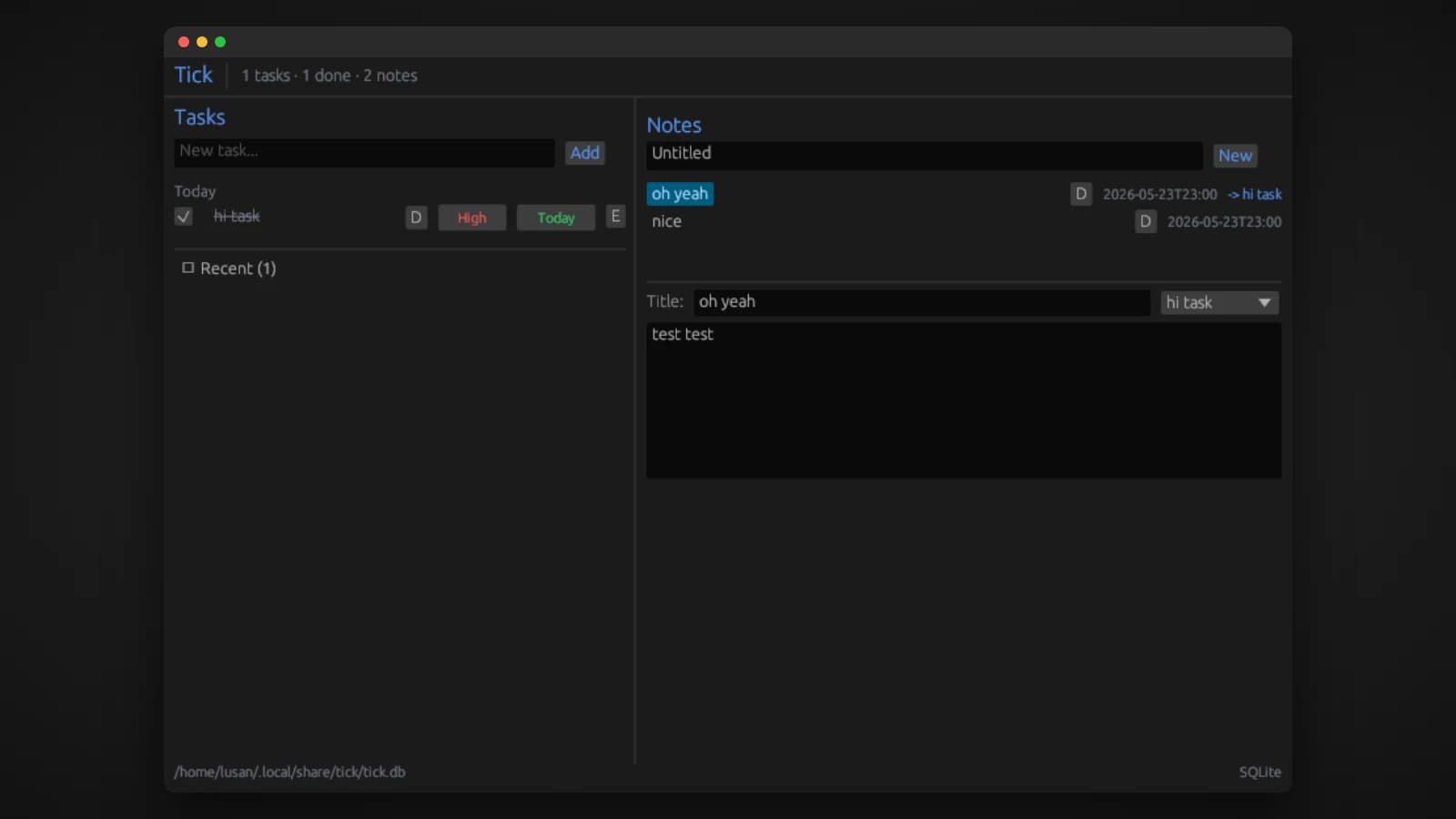
Tick is the first thing I built properly in Rust. I had read about Rust and tried small examples, but nothing sticks for me until I am building something I can actually see and use. So I picked a project small enough to finish and real enough to matter: a native desktop task tracker with notes, the kind of tool I would open every day.
This is a short look at what Tick is, why I built it with egui, and the most surprising lesson it taught me, which turned out to be about measuring memory rather than writing Rust.
What Tick is
Tick keeps your tasks and your notes side by side in one window, with a grip between them that you can drag to resize.
- Tasks are grouped by when you will do them: Today, Tomorrow, Scheduled or Backlog. Clicking a task's schedule badge moves it to the next group.
- Each task can have a priority of Low, Medium or High, and you can rename tasks in place.
- Finished tasks stay visible in their group with a line through them, so your plan for the day still reads as a whole. A Recent section at the bottom lists everything you have completed, and unchecking a task brings it back.
- Notes are plain text and save automatically. A note can be linked to a task or stand on its own, and you can filter to see only the notes for a task.
Everything is stored in a local SQLite database and saved on every change. The database is created on first launch, and schema migrations run every time it opens, so upgrading never breaks your data.
Why egui
Tick uses egui, an immediate-mode GUI library for Rust, through its eframe app framework. Immediate mode means the interface is redrawn from the current state every frame: you write code that describes what the screen should look like right now, rather than building widgets once and updating them later.
For a first Rust project, that was a good fit. The whole interface is plain Rust code reading plain Rust data, with no separate markup language and no callbacks wiring widgets to state. It kept the focus where I wanted it, on learning the language itself. The rest of the dependency list stayed small on purpose: rusqlite with SQLite bundled in, chrono for timestamps, and dirs to find the right data folder.
The lesson: measure the right memory number
At first glance, Tick looks heavy for a small task list: the usual memory figure for it is about 106 MB. Looking at where that memory actually goes tells a different story.
The number most tools show, the resident set size or RSS, counts every shared library a program has loaded at its full size. Tick draws with OpenGL, and on my machine that means loading the graphics driver's libraries, which are large. But those libraries are shared by every OpenGL app running on the system. They are not really Tick's cost.
A fairer number is the proportional set size, or PSS, which divides shared memory between the programs using it. Tick's PSS was about 40 MB. The 66 MB difference was almost entirely shared graphics driver code. And the 40 MB that is genuinely Tick's breaks down into something that makes sense: about 5 MB of program code, 3 MB of heap, 2 MB for the window framebuffer, and around 30 MB for the OpenGL context and the font atlas. Idle CPU use is zero.
The lesson stuck with me well beyond Rust: before trying to shrink a number, make sure it is measuring what you think it is.
Making it small
Once I knew where memory really went, I tuned the build and the app. The release binary is 5.3 MB, with these changes:
- Optimizing for size with
opt-level = "z", full link-time optimization and a single code generation unit, so the compiler can see and trim the whole program at once. - Aborting on panic instead of unwinding, which removes the unwinding code from the binary.
- Switching off what Tick does not need: egui's multi-threaded mode, the accessibility integration, and the depth, stencil and multisampling buffers that a flat 2D interface never uses.
Turning off accessibility support is a trade-off for size, and one worth revisiting if Tick grows beyond a personal tool.
What Rust taught me here
- The compiler is strict, and that is the point. Rust refuses to build code it cannot prove safe, which slows you down at first and saves you later.
- Immediate-mode UI and Rust fit together. Describing the screen from data every frame avoids a lot of the shared, changing state that Rust makes you think hard about.
- Cargo makes release work easy. Size and speed settings live in one file, and packaging Tick as a
.deband a tarball took a few make targets. - Start small. A project I could finish taught me more than a bigger one I would have abandoned.
Tick was my first step into Rust. The next one, SenseCenter, is where it started to click.
Try it
Tick needs Rust 1.70 or newer to build:
cargo build --release      # the binary
make deb                   # a Debian package
sudo dpkg -i dist/tick_0.1.0-1_amd64.deb
A prebuilt release is on GitHub, and the source code is at github.com/Lusan-sapkota/tick, under the MIT license.